Lockbox Banking Explained: Benefits, Risks, and Costs
By Markets & Investing DeskUpdated Nov 10, 2026

Definition
Lockbox banking is a bank service where customers mail payments to a dedicated P.O. box, and the bank opens them, deposits the checks and sends the company payment data.
Key takeaways
- A lockbox mainly cuts processing float because the bank deposits checks the same day it receives them.
- Annual benefit equals average daily receipts times days of float removed times the annual interest rate.
- Common fees include setup, per-item, monthly maintenance, reporting and integration charges.
- Payments without an invoice number or short payments still return to the accounts receivable team.
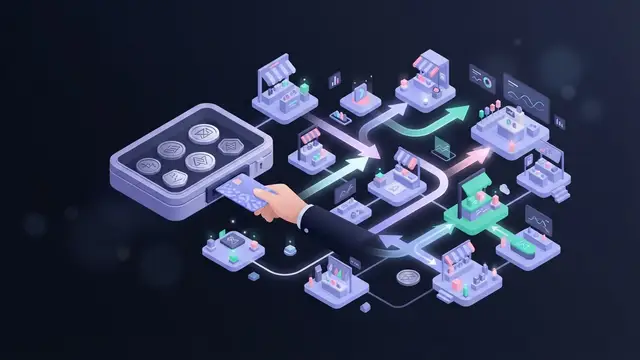
Lockbox banking is a bank service in which a company’s customers mail their payments to a dedicated post office box. The bank collects that mail, opens it, processes the checks and remittance documents, deposits the funds into the company’s account, and sends the company a record of each payment. The business never handles the checks. It receives the money in its account and the data it needs to post those payments against open invoices.
The service shortens the time between a customer mailing a check and the business having usable funds, and it moves a manual, error-prone task out of the office. In exchange, the business pays fees, depends on the bank’s processing and keeps a fraud exposure that does not disappear just because a bank is involved.
How a lockbox works
The process runs on a daily cycle:
- The business sets up the lockbox. The bank assigns a P.O. box address, which the business prints on invoices and payment coupons as the “remit to” address.
- The bank collects the mail. Bank staff or couriers pick it up from the post office, often several times a day, and bring it to a processing center.
- Payments are opened and captured. Checks are separated from the remittance documents and both are scanned, capturing the payer, amount, check number and invoice or account references.
- Checks are deposited. The bank deposits the checks into the company’s account and sends them into clearing. Since the Check 21 Act took effect in the United States in 2004, banks can clear checks as electronic images instead of moving the paper.
- The business receives the data. The bank transmits a file and reports showing each payment, usually with images of the check and remittance coupon. The accounts receivable team, or its software, uses that file to apply cash to customer accounts.
- Records are stored. Images and payment data are archived so the business can look up a specific payment later.
Large banks may run several processing hubs, so a company with customers spread across a wide area can direct each region to the nearest lockbox address. Each check then travels a shorter distance through the mail.
The float a lockbox attacks
Float is the delay between a payer sending money and the payee being able to use it. It has three parts:
- Mail float: time the check spends in the postal system.
- Processing float: time the business takes to open mail, record payments and prepare a deposit.
- Availability float: time between deposit and the bank making funds available.
A lockbox mainly cuts processing float, because the bank deposits checks the same day it receives them instead of waiting for an office to batch them. Regional lockbox addresses can also cut mail float. Availability float depends on the bank’s funds availability schedule, which is one of the terms to read in a lockbox agreement.
Example: valuing faster collections
Hypothetical example for illustration only; the figures are not any bank’s terms or a market rate.
A distributor receives about $150,000 a day in mailed checks. Today, the checks arrive at its office, sit in an inbox until the accounting clerk batches them, and reach the bank about two days later than they would through a lockbox.
The value of cash freed by a lockbox can be estimated as:
Annual benefit = average daily receipts × days of float removed × annual interest rate
Assume the company can earn 4% a year on cash, or reduce borrowing that costs 4%:
- Cash freed up: $150,000 × 2 days = $300,000
- Annual value: $300,000 × 4% = $12,000
Now the cost side. Assume the distributor processes 1,500 checks a month, the bank charges $0.40 per item and $150 a month for maintenance, and there is no setup fee:
- Per-item fees: 1,500 × $0.40 × 12 = $7,200
- Maintenance: $150 × 12 = $1,800
- Annual cost: $9,000
On interest alone, the lockbox is ahead by $3,000 a year. The company should also count the clerk hours no longer spent opening mail and preparing deposits, any fewer posting errors, and any reporting or integration fees. If the same total arrived in a handful of large checks, the per-item cost would fall sharply while the float benefit stayed the same.
Costs of lockbox banking
Pricing differs by bank and by how much work the business asks the bank to do. The common fee types are:
- Setup fees: a one-time charge to open the lockbox, configure processing rules and connect file delivery.
- Per-item or transaction fees: charged for each payment, sometimes varying by payment type, by the number of documents in each envelope, or by how much data the bank must key in by hand.
- Monthly maintenance fees: a fixed charge owed whatever the volume.
- Reporting fees: charges for detailed or customized reports beyond the standard package.
- Integration fees: costs to connect the bank’s lockbox file to the company’s accounting or ERP system. These can come from the bank, a software vendor or internal IT.
Exception handling can add to the bill. A check with no remittance slip, a payment that does not match any invoice, or a foreign item may need manual review. When comparing proposals, price the business’s real mix of payments, not a clean average.
Types of lockbox services
Wholesale lockbox. Built for business-to-business payments: fewer items, larger amounts, and remittance documents that vary by customer (invoices, letters, statements). Because the paperwork is not standardized, processing often involves more manual data capture.
Retail lockbox. Built for high volumes of smaller consumer payments, such as utility bills, insurance premiums or loan installments. Customers return a standardized payment coupon with a machine-readable scanline, so most items can be processed automatically.
Electronic lockbox. Converts electronic payments, such as consumer bill payments sent through online banking, into the same data format as paper lockbox items, so the business gets one consolidated receivables file instead of separate feeds. Some banks also fold ACH and other electronic receipts into lockbox reporting. That reduces, but does not always remove, the need to reconcile other channels separately.
Benefits of using a lockbox
- Faster access to cash. Same-day deposit can lower days sales outstanding and the working capital tied up in receivables.
- Less in-house handling. Staff no longer open mail, endorse checks, prepare deposit slips or carry deposits to a branch. The time can go to collections or analysis.
- Fewer checks in the office. Checks that never pass through the office cannot be lost, misplaced or left undeposited in a drawer.
- Better internal control. With the bank handling the money and company staff applying it, it is harder for one employee to divert a payment and cover it in the books. Daily images and reports also create an audit trail.
Risks and limitations
Fees can outweigh the benefit. For a business with low check volume, small average payments or customers who already pay electronically, the float savings may not cover per-item and monthly charges.
Fraud does not disappear. Every check carries the payer’s bank routing and account numbers, visible to lockbox staff and to anyone who intercepts the mail. Checks can be stolen, altered or used as templates for counterfeits, and mail theft before the envelope reaches the bank is outside the lockbox process entirely. Businesses still need fraud controls, and payers still need protections such as positive pay on their own accounts.
Dependence on the bank’s performance. Processing delays, data capture errors or a system outage at the bank slow fund availability and create reconciliation problems. The business gives up direct control over how its payments are handled, so service levels, cutoff times and error correction procedures in the agreement matter.
Not every payment channel is covered. Card payments, PayPal, digital wallet transfers and app-based payments usually arrive through separate processors. A company with mixed channels may still need in-house processes to bring all receipts into one ledger.
Unmatched payments still land on the business. If a customer pays without an invoice number or short-pays an invoice, the bank can deposit the check but cannot decide how to apply it. Those exceptions return to the accounts receivable team.
Reconciliation and accounting software
The lockbox file is the bridge between the bank and the ledger. It lists each payment with the payer name, amount, check number, invoice references and a batch or deposit total. Reconciliation works at two levels:
- Cash level: the deposit totals in the lockbox reports should equal the credits on the bank statement for that day.
- Invoice level: each payment is matched to open invoices in the accounts receivable ledger, a step called cash application.
Many banks deliver lockbox data in formats that accounting and ERP systems can import, so matched payments post automatically and staff work only the exceptions. Setting up this link is where integration fees come in. Once it works, it removes most of the manual keying that causes posting errors.
Is a lockbox right for a small business?
Size matters less than payment profile. A small company that receives many mailed checks, struggles to deposit them promptly or lacks staff to separate cash handling from bookkeeping can benefit. A business that receives a few checks a month, or whose customers mostly pay by card or bank transfer, may find that the fees exceed the value. Alternatives include depositing checks through a business mobile app or remote deposit capture, where the company scans checks itself, and moving customers toward electronic payment.
What a lockbox is not
Safe deposit box. Rented storage in a bank vault for documents and valuables. It keeps items; a lockbox processes a constant flow of payments.
Remote deposit capture. With remote deposit capture, the business still receives and opens the mail and scans checks itself. With a lockbox, the bank does all of that.
Lockbox account in lending. In asset-based lending, a lender may require a borrower’s customer payments to flow into a lockbox account it controls, so collections pay down the loan before the borrower can use the cash. The collection mechanics are similar, but the purpose is credit protection, not convenience.
Real estate lockbox. A key box on a property door that lets agents access a home for showings. It has no link to payment processing.
Locked box mechanism. In mergers and acquisitions, a “locked box” fixes the purchase price based on a balance sheet at a set date, with the seller barred from taking value out of the company before closing. The name is similar, but the concept is unrelated.
FAQs
Is it "lockbox" or "lock box"?
Both spellings appear, but banks generally write it as one word, "lockbox," for the payment service. "Lock box" more often refers to a physical box with a lock, such as a real estate key box.
The Bottom Line
Lockbox banking suits businesses that receive many mailed checks, struggle to deposit them promptly or need to separate cash handling from bookkeeping. Companies with few checks or mostly electronic customers may find the fees exceed the float savings. Before signing, price the real mix of payments, read the funds availability and service terms, and keep fraud controls in place.