What Is a Mobile Wallet? How It Works
By Markets & Investing DeskUpdated Nov 10, 2026
Definition
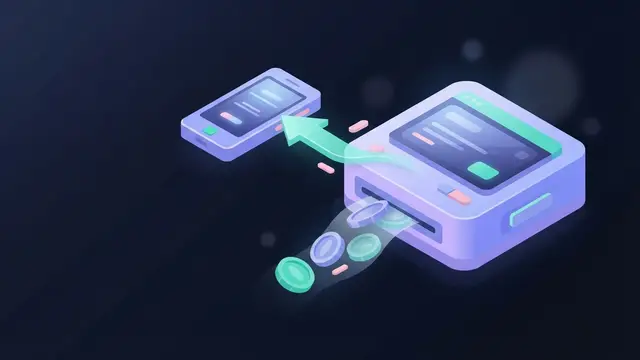
A mobile wallet is a phone, tablet or smartwatch feature that stores card credentials as tokens and uses them to pay in stores, in apps and online, charging the linked account.
Key takeaways
- The wallet stores a random token instead of your card number, so a stolen token is useless elsewhere.
- Each payment requires face recognition, a fingerprint or the device passcode before it goes through.
- Dispute and fraud rights on a wallet purchase come from the card and its issuing bank, not the wallet app.
- A PayPal or Venmo balance held by a payment company is not automatically the same as a bank deposit.
A mobile wallet is an app or built-in feature on a smartphone, tablet or smartwatch that stores payment credentials, such as credit and debit cards, and uses them to pay in stores, in apps and online. Most mobile wallets don’t hold money. They hold a protected stand-in for a card you already have, and the purchase is still charged to that card or bank account. A smaller group of wallet apps also keeps a stored balance, and that difference changes who holds your money and what protections apply.
How a Mobile Wallet Works
A mobile wallet payment has three stages: adding the card, authenticating the user and transmitting the payment.
1. Adding a card (provisioning). You scan or type in a card, and the card issuer verifies it, sometimes with a code sent by text or through the bank’s app. The wallet then receives a token instead of keeping the card number. A token is a randomly generated number that the card network can map back to your account but that has no value on its own. In Apple’s design, the card number is not stored on the device or on Apple’s servers. Payment credentials are encrypted and kept in a dedicated security chip.
2. Authenticating. Before a payment goes through, the wallet asks you to prove you’re the owner with face recognition, a fingerprint or the device passcode. This step does the job a signature or PIN does with a physical card.
3. Transmitting the payment. At a checkout terminal, you hold the phone within a few centimeters of the reader, the short range NFC works over. The phone sends the token along with a one-time code generated for that transaction. The terminal passes this through the card network to the issuer, which matches the token to your real account and approves or declines the charge as it would for a card.
Online and in-app payments skip NFC. The wallet hands the token to the merchant’s checkout over the internet after you authenticate on the device.
What the token changes
The token is the part of a mobile wallet that a physical card lacks. A plastic card shows its number, expiry date and security code to anyone who handles it. A wallet payment shares only a token and a single-use code. If a merchant’s systems are breached and the token is stolen, the token can’t be used like a card number somewhere else.
Example of a Mobile Wallet Payment
Hypothetical example for illustration. Dana adds her bank debit card to the wallet on her iPhone and sets it as the default card. At a fast-food counter that accepts contactless payments:
- She holds the phone near the card reader.
- The wallet opens with her default debit card selected.
- She confirms with Face ID or her passcode.
- The phone sends the token and a one-time code to the reader, and the terminal shows the payment as approved.
- The charge appears on her bank account as a debit card purchase from that restaurant.
The wallet did not move money. Dana’s bank paid the merchant through the card network, just as it would have if she had tapped or inserted the plastic card. Her rights on that purchase, such as disputes and fraud claims, come from the card and the bank that issued it, not from the wallet app.
What a Mobile Wallet Can Store
Payment cards are the core, but mobile wallets increasingly hold much of a physical wallet’s contents:
- Credit, debit and some prepaid cards
- Store loyalty and reward cards, coupons
- Event tickets and airline boarding passes
- Transit passes and bus or train tickets
- Hotel room keys, car keys and office access badges, where the issuer supports them
- Health records and, in some places, a digital driver’s license or state ID
Which of these work depends on the wallet, the device, the country and whether the business or agency has built support for that wallet.
Types of Mobile Wallet Apps
Built-in wallets. Most phones ship with the manufacturer’s own wallet:
- Apple Wallet with Apple Pay on iPhone, Apple Watch, iPad and Mac
- Google Wallet on many Android phones
- Samsung Wallet, which includes Samsung Pay, on Samsung Galaxy devices
The wallet is the container that holds cards and passes, and the “Pay” service is the payment function inside it.
Third-party payment apps. These can be downloaded on iOS or Android and work across phone brands. PayPal began as an online payment service, and Venmo started as a peer-to-peer (P2P) app for paying friends and has expanded to some retailers. Fees on these apps depend on how a payment is funded, since bank-funded and card-funded transactions can be priced differently. P2P payments through Google Pay are no longer available to U.S. users, although they may still work in some other countries.
Mobile money wallets. In many markets, the wallet is the account itself. Services such as M-Pesa, launched in Kenya in 2007, let users store money with a mobile operator or payment provider and send it by phone, often without a bank account or a smartphone. QR-code wallets are another model. The customer scans a code at the counter, or the merchant scans one on the customer’s screen, so no NFC terminal is needed. Real-time payment systems such as India’s UPI are often used through apps that work this way.
Linked Card vs. Stored Balance
This distinction decides where “money in a wallet” actually sits:
- Pass-through wallets (Apple Pay, Google Wallet and Samsung Pay used with a card) hold credentials only. Each payment draws on the linked credit line or bank account, and that account’s protections apply.
- Stored-value wallets (a PayPal or Venmo balance, many mobile money accounts) hold funds with the provider. A balance held by a payment company is not automatically the same as a bank deposit. Whether deposit insurance or another protection applies depends on the provider and how it holds customer funds, which is set out in its account terms.
A credit card purchase made by phone accrues interest at the card’s APR the same way as a purchase made with the plastic card.
Benefits of Mobile Wallets
Security. Tokenization keeps card numbers hidden at checkout, and each payment requires biometric or passcode approval, which makes a stolen phone harder to use than a stolen card.
Speed. A tap and a face scan can be quicker than inserting a chip card and waiting for it to process.
Consolidation. Cards, tickets, passes and keys sit in one device, which reduces what you need to carry.
Recovery. If the phone is lost, wallet credentials can be suspended or erased remotely through the device maker’s tracking service or the card issuer, while the physical cards keep working.
Limitations of a Mobile Wallet
- Acceptance. NFC wallets need a contactless terminal. A merchant without one, or one that has turned off contactless payments, can’t accept the tap.
- Device lock-in. Apple Pay doesn’t run on Android, and Samsung Pay runs only on supported Samsung devices. Switching phone brands means setting up a new wallet.
- Battery and hardware. A dead phone means no wallet, and older devices may lack NFC or the security hardware needed.
- Issuer support. Not every bank or card program supports every wallet, so a card may not be eligible to add.
- Fees and protections on stored balances. Pass-through wallets add no fee to a normal card payment, but third-party apps may charge for some funding methods or transfers, and stored balances carry the provider risk described above.
Mobile Wallet vs. Digital Wallet vs. Mobile Payments
These terms are often used interchangeably, but each means something different:
- A digital wallet is the broader category: any software that stores payment details for electronic transactions. It’s often used for online checkout and doesn’t have to run on a phone. A PayPal account used in a desktop browser is a digital wallet.
- A mobile wallet is a digital wallet built for a handheld or wearable device, designed to replace a physical wallet, including at in-store terminals. The same PayPal account acts as a mobile wallet when used from a phone at checkout.
- Mobile payments is the act of paying with a mobile device, whether by tapping a wallet, scanning a QR code or sending money through a P2P app. A mobile wallet is one way to make mobile payments.
FAQs
Can I use my mobile wallet on a smartwatch?
Yes, if the watch supports it. Many wearables have NFC and a wallet, such as Apple Pay on an Apple Watch. Cards are usually added separately for the watch, which receives its own token.
Does a mobile wallet need an internet connection to pay in a store?
Not always. The token and payment credentials are stored on the device, so many tap payments at a terminal can go through without a live data connection, though some wallets limit how many offline payments they allow. Adding cards, online checkout and P2P transfers require internet access.
The Bottom Line
Anyone who pays by phone should know whether their wallet passes payments through to a card or holds a balance with the provider. Pass-through wallets like Apple Pay add tokenization and biometric checks while keeping the card's usual protections and APR. For stored balances, the provider's account terms decide what protection applies, so check them before leaving money there.